

Description
MAI Smart Assistant is a comprehensive AI integration plugin for WordPress that brings the power of artificial intelligence to your website. With support for multiple AI providers and a wide range of features, it’s designed to enhance your content creation, user engagement, and site automation.
Key Features
- Multi-Provider Support – Seamlessly integrate with OpenAI, Anthropic Claude, Google Gemini, X.AI Grok, and Cohere
- Intelligent Chatbot – RAG-based chatbot trained on your site content for accurate, context-aware responses, with optional streaming token-by-token replies
- MCP Server for AI Agents – Expose your WordPress site to Claude Desktop, Cursor, ChatGPT Desktop and any Model Context Protocol client via 30 secure abilities. Per-token ability scoping lets you restrict each token to a subset (e.g. read-only, no deletes) — requires WordPress 6.9+; rest of the plugin works on 5.8+
- Content Generation – AI-powered content creation throughout WordPress admin and frontend
- Automation & Scheduling – Automated content creation and updates with flexible scheduling
- Privacy & GDPR Controls – Dedicated Privacy tab with conversation retention auto-cleanup, IP/UA opt-out, optional consent gate, and native WordPress GDPR export / erase hooks
- Analytics Dashboard – Comprehensive tracking of usage, costs, and performance metrics
- Security First – Built with WordPress security best practices: proper sanitization, escaping, nonce verification, per-ability capability checks
- Performance Optimized – Lazy-loaded chatbot widget (~5.8 KB launcher on page load instead of 30 KB), intelligent response caching, rate limiting, optimized database queries
Chatbot Features
- Streaming Responses – Token-by-token streaming so visitors see replies as they’re generated; auto-falls-back to non-streaming on hosts that buffer responses
- Lazy-Loaded Widget – Only a small launcher script (~5.8 KB) is on the page until the visitor clicks; the full bundle loads on-demand to protect Core Web Vitals (INP)
- RAG (Retrieval-Augmented Generation) – Chatbot searches your site content to provide accurate answers
- Content Search Integration – Automatically finds and presents relevant posts, pages, and products
- Conversation History – Maintains context across multiple messages
- Optional Consent Gate – Inline checkbox above the input field for GDPR-friendly sites; visitor must tick it before sending; persisted per-browser in localStorage
- Customizable Appearance – Full color customization, custom avatars, and styling options
- Mobile Responsive – Works perfectly on all devices
- Optional Footer – “Powered by” footer is disabled by default; enable it only if you want to display custom branding
AI Agent / MCP Integration (NEW in 1.1.0)
The plugin acts as a Model Context Protocol server — connect Claude Desktop, Cursor, ChatGPT Desktop, Continue, Cline or any MCP client to your WordPress site and let it drive your content. Requires WordPress 6.9+ (Abilities API); on older versions the rest of the plugin keeps working unchanged and the MCP tab shows an info notice.
30 abilities, grouped by domain:
- Posts (7) – get, list (paginated/filterable), create, update, delete (trash or permanent), duplicate, set featured image.
create-postandupdate-postauto-import external<img>URLs into your media library so AI-generated posts aren’t broken hotlinks. - Taxonomies (6) – list taxonomies, list terms, create/update/delete terms, assign terms to posts. Works with categories, tags, and any custom taxonomy (product_cat for WooCommerce, etc.).
- Comments (5) – list/get/create/update/delete. Also covers WooCommerce reviews — set
type: "review"andmeta: {"rating": 5}to write the exact shape WC reads from. - Media (3) – upload from URL (with MIME sniffing for extensionless CDN URLs), get attachment metadata, delete.
- Site introspection (2) – list post types, get site info (URL, language, timezone, WP/PHP versions). No secrets returned.
- Plugin-native (7) – search site content, generate AI text, index for RAG, list/run automation rules, list configured providers (no API keys returned), get analytics summary.
Security model:
- Bearer-token authentication with SHA-256-hashed storage. Plaintext shown exactly once at creation, never again.
- Three-layer permissions: (1) token validates at transport; (2) per-token ability allowlist — if the token wasn’t granted access to that specific tool, the AI client never sees it in
tools/listandtools/callis rejected; (3) per-ability WordPress capability check runs against the user the token is bound to. - Destructive operations (delete-post / delete-term / delete-media / delete-comment /
force: true) are MCP-annotated so client UIs prompt for confirmation. - Sideload helper blocks private/loopback IPs (RFC1918, 127.0.0.1, 169.254.169.254 cloud-metadata, etc.) to prevent SSRF, and caps download size at 25 MB.
The plugin admin includes step-by-step setup guides for Claude Desktop (incl. Microsoft Store install), Claude.ai web, ChatGPT Desktop, Cursor, Continue (VS Code/JetBrains), Cline, and a generic raw-HTTP section for custom integrations.
Content Generation
- Gutenberg Integration – AI assistant directly in the block editor
- Classic Editor Support – Seamless integration with the classic WordPress editor
- WooCommerce Integration – Generate product descriptions, features, and marketing content
- Multiple Content Types – Support for posts, pages, products, and custom post types
- Template System – Pre-built templates for common content types
Security & Performance
- WordPress Standards Compliant – Follows all WordPress.org coding and security guidelines
- SQL Injection Protection – Proper use of $wpdb->prepare() with dynamic placeholders
- XSS Prevention – All outputs properly escaped with esc_html(), esc_url(), esc_attr()
- Input Sanitization – All inputs sanitized using WordPress core functions
- Rate Limiting – Built-in protection against API abuse
- Caching System – Intelligent caching to reduce API costs and improve performance
- Local Assets – Required JavaScript libraries are bundled locally; no remote CDN assets are loaded
Supported AI Providers
- OpenAI – GPT-5.5 / GPT-5.5 Mini (latest), GPT-5 series, GPT-4.1, plus legacy GPT-4o / GPT-4 / GPT-3.5 Turbo for accounts that still have access
- Anthropic – Claude Opus 4.7 (incl. 1M-token context variant), Claude Sonnet 4.6, Claude Haiku 4.5, plus legacy Claude 3.x models
- Google Gemini – Gemini 3.5 Flash (latest), Gemini 3.1 Pro (up to 2M token context), Gemini 2.5 series, plus legacy Gemini 1.5
- X.AI – Grok 4 (latest), Grok 3 / 3 Mini, Grok 2 series, Grok Code Fast
- Cohere – Command A (2025), Command R+ / R series, plus embedding models for RAG
Model availability depends on your provider account, plan, and regional access. Configure models per-feature in the plugin settings.
Automation & Scheduling
- Intelligent Content Generation – Create blog posts, articles, and product descriptions automatically
- Advanced Scheduler – Flexible scheduling with timezone support, blackout dates, and time windows
- Queue System – Robust queue with retry logic, exponential backoff, and priority handling
- SEO Integration – Automatic SEO optimization for Yoast SEO, Rank Math, and All in One SEO
- Custom Fields – Populate ACF and JetEngine custom fields automatically
- Image Generation – DALL-E 3 integration for automated featured images with style control
- Quality Controls – Content scoring, duplicate detection, and uniqueness validation
- Budget Management – Daily and monthly cost limits with auto-pause on budget exceeded
- Failure Handling – Email notifications, automatic retries, and configurable failure behaviors
- Monitoring Dashboard – Track rule performance, costs, success rates, and execution history
Use Cases
- Customer Support – Intelligent chatbot that answers questions using your site content
- Content Marketing – Generate blog posts, product descriptions, and marketing copy
- E-commerce – Automated product descriptions and customer support
- Documentation – Interactive help system for complex products or services
- Lead Generation – Engage visitors with intelligent conversations
External Services
This plugin connects to third-party AI provider APIs to function. You must configure API keys from at least one of the following services:
OpenAI API
* Service: https://platform.openai.com/
* Privacy Policy: https://openai.com/policies/privacy-policy
* Terms of Service: https://openai.com/policies/terms-of-use
* Data transmitted: User messages, site content for indexing, generation prompts
* Purpose: AI text generation, chat completion, embeddings creation
Anthropic API (Claude)
* Service: https://www.anthropic.com/
* Privacy Policy: https://www.anthropic.com/legal/privacy
* Terms of Service: https://www.anthropic.com/legal/terms
* Data transmitted: User messages, site content for indexing, generation prompts
* Purpose: AI text generation, chat completion
Google Gemini API
* Service: https://ai.google.dev/
* Privacy Policy: https://policies.google.com/privacy
* Terms of Service: https://policies.google.com/terms
* Data transmitted: User messages, site content for indexing, generation prompts
* Purpose: AI text generation, chat completion, embeddings creation
X.AI API (Grok)
* Service: https://x.ai/
* Privacy Policy: https://x.ai/legal/privacy-policy
* Terms of Service: https://x.ai/legal/terms-of-service
* Data transmitted: User messages, site content for indexing, generation prompts
* Purpose: AI text generation, chat completion
Cohere API
* Service: https://cohere.com/
* Privacy Policy: https://cohere.com/privacy
* Terms of Service: https://cohere.com/terms-of-use
* Data transmitted: User messages, site content for indexing, generation prompts
* Purpose: AI text generation, chat completion, embeddings creation
Important Notes:
* API keys are required to use this plugin – you must sign up with at least one provider
* All API communications use HTTPS encryption
* No data is sent to external services except the AI providers you explicitly configure
* You are responsible for compliance with each provider’s terms of service
* This plugin does not send any tracking or telemetry data to the plugin author
MCP Server endpoint (inbound — NOT an external service)
As of 1.1.0 the plugin exposes a Model Context Protocol server at /wp-json/mai-smart-assistant/v1/mcp. This endpoint is inbound only: AI desktop clients (Claude Desktop, Cursor, ChatGPT Desktop) connect to your WordPress site. No data is sent from your site to a third-party MCP host. The endpoint is disabled until you create a bearer token in MAI Smart Assistant MCP. Each token is scoped at creation to Full access OR a subset of the 30 abilities. Every call is then gated by three layers: bearer token at transport, the per-token ability allowlist, and the WordPress capability of the user the token is bound to. Requires WordPress 6.9 or later (Abilities API) — on older WordPress versions the MCP feature silently no-ops and the rest of the plugin keeps working unchanged.
Bundled third-party PHP libraries (no Composer required)
The MCP server feature is built on two open-source libraries from the WordPress project, vendored unmodified into the plugin’s /vendor/wordpress/ directory. We use our own PSR-4 autoloader to map their namespaces — no Composer install is required, no upstream code is patched. Source attribution and licenses are also documented in vendor/README.md.
WordPress/mcp-adapter
* Source: https://github.com/WordPress/mcp-adapter
* License: GPL-2.0-or-later (compatible with this plugin’s GPLv2+)
* Pinned upstream commit: 7cc42a0c1de1937bea6ca9cea56d1b0818e94632 (2026-05-20, release 0.5.0)
* Purpose: Bridges the WordPress 6.9 Abilities API to the Model Context Protocol JSON-RPC transport
* Data transmitted: None — runs entirely as in-process PHP code; no outbound HTTP
WordPress/php-mcp-schema
* Source: https://github.com/WordPress/php-mcp-schema
* License: GPL-2.0-or-later
* Pinned upstream version: v0.1.1
* Purpose: PHP Data Transfer Objects for MCP protocol message types — required runtime dependency of mcp-adapter
* Data transmitted: None — schema/validation classes only
Privacy Policy
MAI Smart Assistant is designed with privacy in mind:
- Local Data Storage – All conversations and analytics are stored locally in your WordPress database. Nothing is sent to the plugin author.
- API Communications – The plugin communicates directly with your chosen AI providers using your API keys; data passes through their privacy policies (linked in External Services above), not ours.
- No External Tracking – We don’t collect or transmit any data to external services beyond the AI providers you configure. No analytics, no telemetry.
- MCP Server is Inbound Only – When MCP is enabled, AI clients connect to your site over an authenticated endpoint. No data is sent from your site to a third-party MCP host.
- Conversation Retention – The Privacy tab lets you set an automatic daily purge for chatbot conversations older than N days (default 90; set to 0 to keep forever).
- IP / User Agent Opt-Out – The Privacy tab lets you disable storing visitor IP and User Agent on new chatbot rows; existing rows are left untouched.
- Optional Consent Gate – You can require visitors to tick a consent checkbox before the chatbot accepts their first message. Acceptance is stored client-side (localStorage), not server-side.
- GDPR Export and Erase – The plugin registers the standard WordPress
wp_privacy_personal_data_exportersandwp_privacy_personal_data_erasershooks. Tools Export / Erase Personal Data will include the visitor’s chatbot conversations when you look them up by email. - Admin Purge Action – A one-click “Purge all conversations” button in the Privacy tab for full data wipes.
- User Control – You have full control over what content gets indexed (Training tab) and which features are enabled (Chatbot, Content, Automation tabs).
- Third-Party Services – See “External Services” section above for details on the AI provider APIs the plugin connects to.
Support
For support, feature requests, and bug reports, please visit our GitHub repository or contact us through the WordPress.org support forums.
Credits
MAI Smart Assistant is developed with ❤️ for the WordPress community. Special thanks to all the AI providers who make these amazing technologies accessible to developers and content creators.
Screenshots
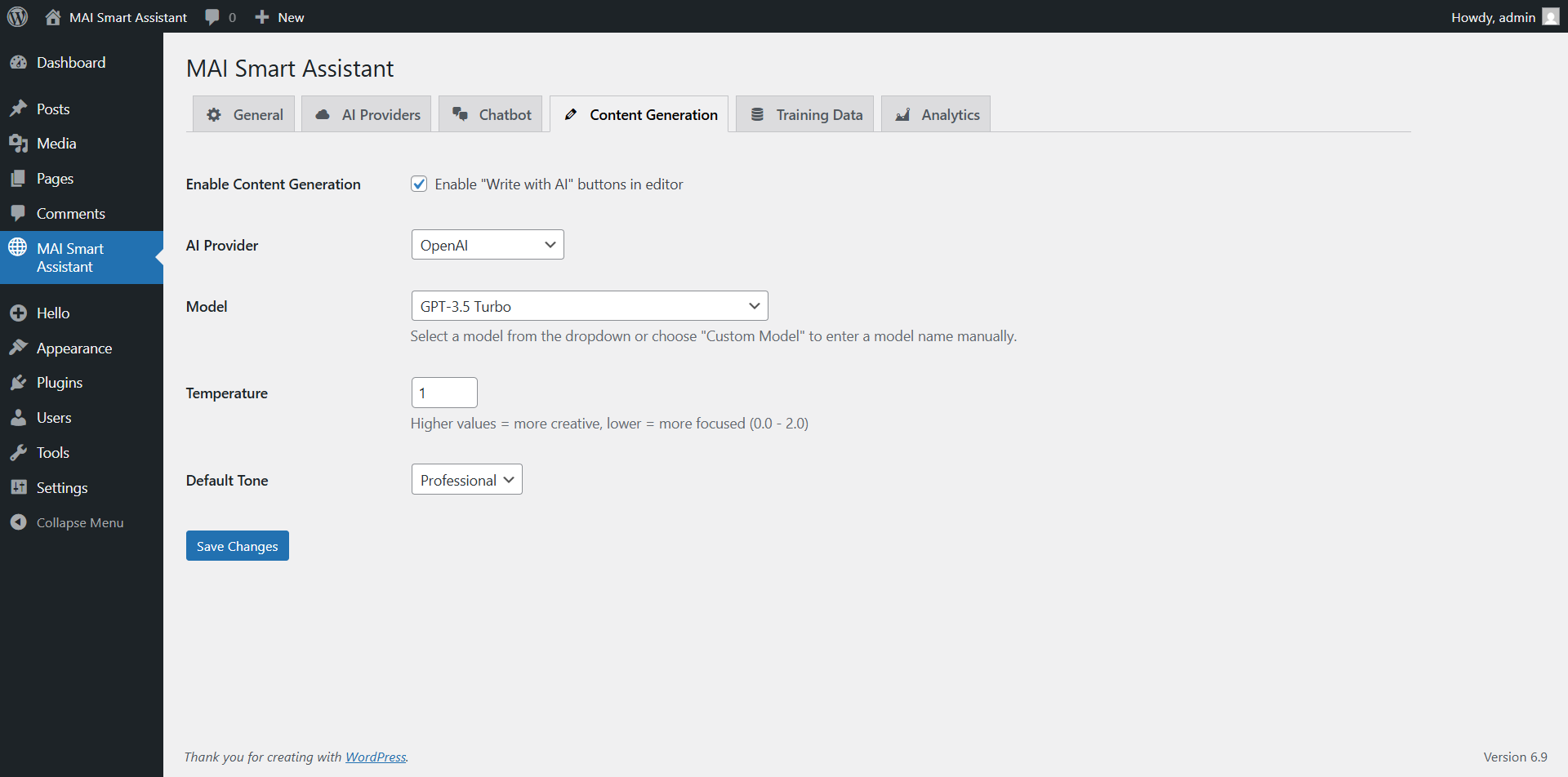
Main dashboard showing AI usage analytics and quick access to all features 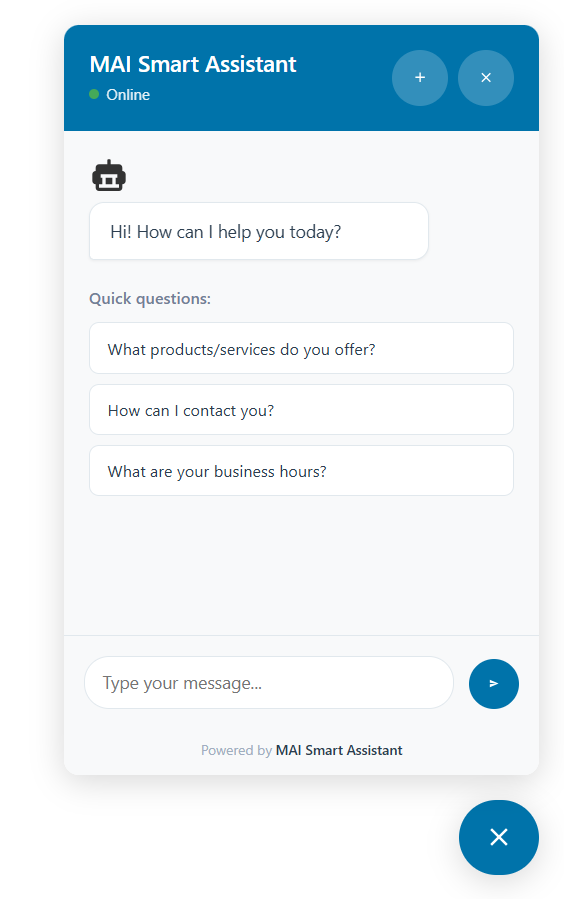
Chatbot configuration with appearance customization options 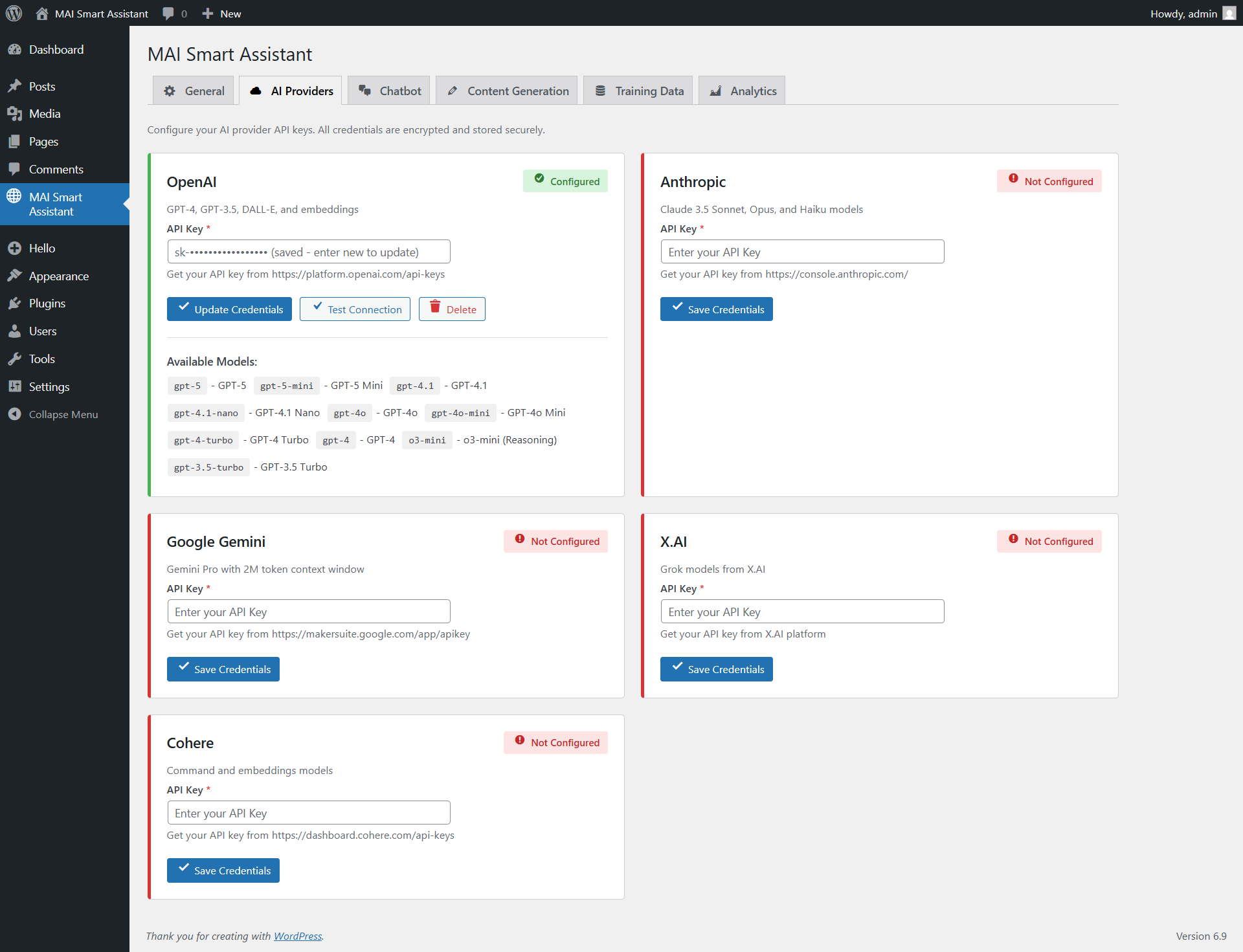
Content generation in the Gutenberg editor with AI assistant 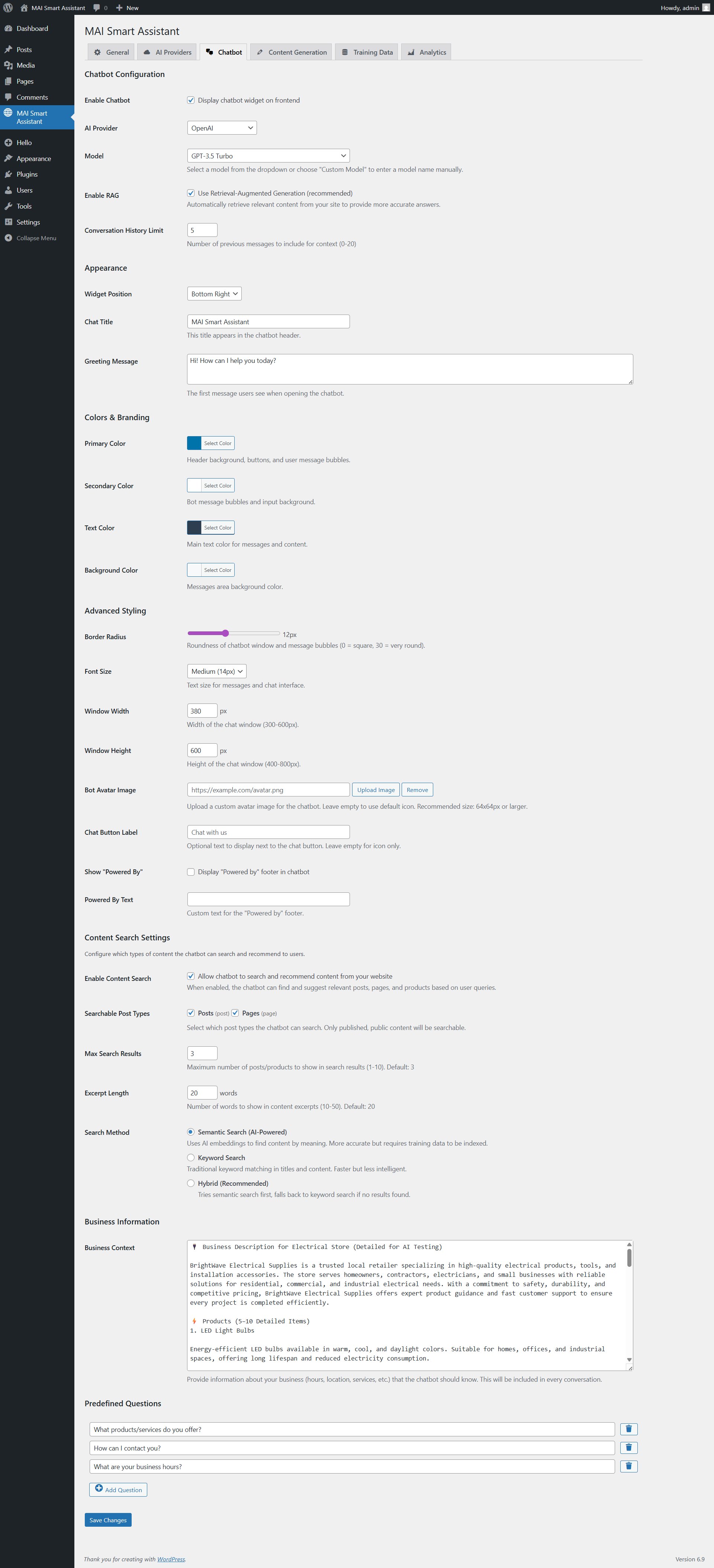
Provider configuration page with multiple AI service options 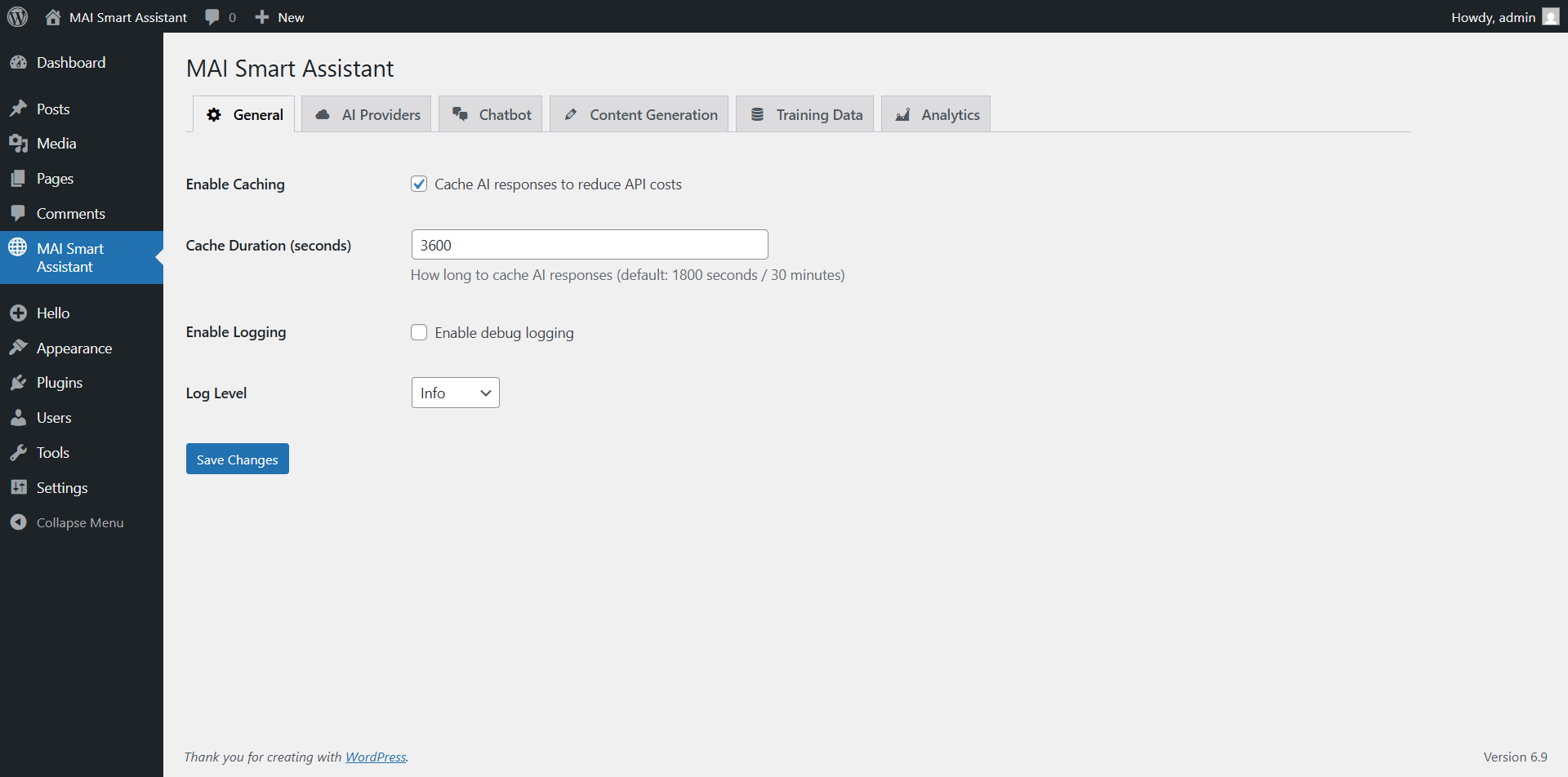
Training page for managing indexed content and RAG functionality
Installation
- Upload the plugin files to the
/wp-content/plugins/directory, or install the plugin through the WordPress plugins screen directly. - Activate the plugin through the ‘Plugins’ screen in WordPress.
- Navigate to “MAI Smart Assistant” in your WordPress admin menu.
- Configure your AI provider API keys in the Providers tab.
- Enable the features you want to use (chatbot, content generation, etc.).
- (Optional) Review the Privacy tab — set the conversation retention window, decide whether to log IP/UA, enable the consent gate if needed for your jurisdiction.
- (Optional, WordPress 6.9+) To connect Claude Desktop / Cursor / ChatGPT Desktop / Continue / Cline, open the MCP tab, generate a bearer token, copy the endpoint URL, and follow the per-client setup snippets shown right below the token list.
- Start using AI features throughout your WordPress site!
FAQ
-
Do I need API keys for AI providers?
-
Yes, you’ll need API keys from at least one supported AI provider (OpenAI, Anthropic, Google, X.AI, or Cohere). The plugin supports multiple providers, so you can use different providers for different features.
-
Is the chatbot trained on my site content?
-
Yes! The chatbot uses RAG (Retrieval-Augmented Generation) technology to search your site content and provide accurate, context-aware responses. You can control which content gets indexed through the Training page.
-
Does this plugin work with WooCommerce?
-
Absolutely! MAI Smart Assistant includes dedicated WooCommerce integration for generating product descriptions, features lists, and providing customer support through the chatbot.
-
Is my data secure?
-
Yes, security is our top priority. All API keys are encrypted before storage, all database queries use proper sanitization, and the plugin follows WordPress security best practices. We never store your AI conversations on external servers.
-
Can I customize the chatbot appearance?
-
Yes! The plugin includes comprehensive customization options including colors, fonts, chat window size, custom avatars, and more. You can match your brand perfectly.
-
Does this work with Gutenberg and Classic Editor?
-
Yes, MAI Smart Assistant works with both the Gutenberg block editor and the Classic Editor, providing AI assistance wherever you create content.
-
What is the MCP server and how do I use it?
-
MCP (Model Context Protocol) is an open standard that lets AI desktop apps — Claude Desktop, Cursor, ChatGPT Desktop, Continue, Cline — drive your WordPress site directly. After enabling MCP in MAI Smart Assistant MCP, you generate a bearer token, paste it into the AI client’s config, and the AI gets 30 abilities (create/update/delete posts, manage taxonomies, upload media, post WooCommerce reviews, run automation rules, etc.). At token-creation time you choose the token’s scope — Full access, Read-only, Content creation (no deletes), or hand-pick individual abilities via checkbox. Every call is then gated by three layers: bearer token at transport, the per-token ability allowlist, and the standard WordPress capability of the user the token is bound to. The MCP tab includes per-client step-by-step setup guides.
-
Do I need WordPress 6.9 for everything?
-
No. The plugin works on WordPress 5.8+. The MCP server feature specifically requires the WordPress 6.9 Abilities API; on older WordPress versions the MCP tab shows an info notice and the rest of the plugin (chatbot, content generation, automation, privacy, analytics) keeps working unchanged.
-
Can the AI agent create WooCommerce product reviews via MCP?
-
Yes. Use
mai/create-commentwithtype: "review"andmeta: {"rating": 5}(1–5 stars). The comment lands inwp_commentswith the exact shape WooCommerce reads from for product star ratings. -
What’s the /vendor folder I see in the plugin?
-
Two open-source libraries from the WordPress.org project (
WordPress/mcp-adapterandWordPress/php-mcp-schema, both GPL-2.0-or-later) bundled unmodified so the MCP server works without requiring you to runcomposer install. They’re documented invendor/README.mdwith pinned commit hashes and source URLs. -
How does the plugin handle GDPR and user privacy?
-
The new Privacy tab (1.1.0+) gives you four controls: (1) automatic conversation retention cleanup on a daily WP-Cron schedule with a configurable retention window; (2) an IP/User Agent storage opt-out that writes NULL to those columns for new conversations; (3) an optional consent gate that shows a checkbox above the chatbot input field — visitors must tick it before sending; (4) registered exporter + eraser hooks so that WordPress core’s Tools Export Personal Data / Erase Personal Data screens include chatbot conversations when you look up a visitor by email. There’s also a one-click “Purge all conversations” button for admins.
Reviews
There are no reviews for this plugin.
Contributors & Developers
“MAI Smart Assistant” is open source software. The following people have contributed to this plugin.
Contributors
Translate “MAI Smart Assistant” into your language.
Interested in development?
Browse the code, check out the SVN repository, or subscribe to the development log by RSS.
Changelog
1.1.0
New chatbot UX
* Added: Streaming chatbot responses — reply text appears token-by-token instead of after a 3–8s wait. Supported on all five providers (OpenAI, Anthropic, Google Gemini, X.AI Grok, Cohere). Auto-falls-back to non-streaming on hosts that buffer responses (some shared hosts / Cloudflare proxy).
* Added: Streaming and non-streaming chat now share the same response cache — repeat questions get instant cache hits regardless of which endpoint served the first call.
* Added: Lazy-loaded chatbot widget — only a ~5.8 KB launcher script is enqueued on page load. The full widget JS (~30 KB) + CSS + jQuery (if needed) load on demand when the user clicks the chat button. Protects Core Web Vitals and INP on pages where the chatbot is enabled but not opened.
MCP server (Model Context Protocol)
* Added: Per-token ability scoping. When creating a bearer token in MAI Smart Assistant → MCP, admins can now restrict that token to a subset of the 30 available abilities — either pick individual checkboxes (grouped by domain: Posts, Taxonomies, Comments, Media, Site introspection, Plugin-native) or use one of the presets (“Read-only”, “Content creation (no deletes)”, “Select all”, “Clear all”). The AI client only sees tools the token is allowed to use; disallowed tools are hidden from tools/list and rejected at tools/call with a clear error message. Existing tokens (and tokens created with “Full access”) behave unchanged.
* Added: MCP server — exposes the plugin as a Model Context Protocol server so AI desktop apps (Claude Desktop, Cursor, ChatGPT Desktop) can connect to your WordPress site and invoke abilities directly. 30 abilities covering plugin features and full WordPress content management:
– Plugin-native (7): search-content, generate-content, index-content (RAG), list-automation-rules, run-automation-rule, list-providers, get-analytics-summary
– Posts (7): create-post, get-post, list-posts (paginated with filters), update-post, delete-post (trash or permanent), duplicate-post, set-featured-image
– create-post and update-post automatically download any external <img src="https://..."> URLs in the content into the media library and rewrite the URLs to local ones. Avoids hotlinking (broken images when the source disappears, GDPR concerns, lost SEO credit). Opt out with import_external_images: false.
– Taxonomies (6): list-taxonomies, list-terms, create-term, update-term, delete-term, assign-terms (categories, tags, custom taxonomies)
– Site introspection (2): list-post-types, get-site-info (URL/name/language/timezone/versions — no secrets)
– Media (3): upload-media-from-url, get-media, delete-media
– Comments (5): list-comments, get-comment, create-comment, update-comment, delete-comment. Also supports WooCommerce reviews — pass type: "review" and meta: {"rating": 5} to mai/create-comment and the review lands in the exact shape WooCommerce reads from.
– Three-layer security: bearer-token transport gate + per-token ability allowlist (scope picker at token creation: Full access / Read-only / Content creation / hand-pick) + per-ability WordPress capability check (e.g., update-post requires edit_post on that specific post; delete-term requires the taxonomy’s delete_terms cap)
– Destructive operations (delete-post/term/media + force-delete) are annotated so AI clients display a confirmation prompt
– Bearer tokens stored as SHA-256 hashes; plaintext is shown exactly once at creation
– Requires WordPress 6.9+ (Abilities API). Gracefully no-ops with an info notice on older WordPress; all other plugin features continue to work.
– The MCP admin tab includes step-by-step setup guides for Claude Desktop, Claude Desktop (Microsoft Store), ChatGPT Desktop, Cursor, Continue, Cline, plus a generic raw-HTTP section for custom clients.
Privacy + GDPR
* Added: New “Privacy” admin tab consolidating retention, IP/UA opt-out, consent gate, GDPR export/erase, and a danger-zone “Purge all conversations” button.
* Added: Optional consent gate — when enabled, the chatbot widget shows an inline consent checkbox above the input field. Visitor must tick it before sending; acceptance persists in localStorage so the gate isn’t shown again on that browser.
* Added: Optional IP / User Agent opt-out — when disabled, new chatbot rows write NULL into the user_ip and user_agent columns. Existing rows are not touched.
* Added: GDPR exporter and eraser hooks — Tools Export Personal Data and Tools Erase Personal Data now include the visitor’s chatbot conversations (looked up by email WordPress user).
* Added: Conversation retention auto-cleanup — a daily WP-Cron job purges chatbot conversations older than the configured retention (default 90 days; set to 0 to keep forever).
AI provider models
* Added: Latest AI models — OpenAI GPT-5.5 / GPT-5.5 Mini, Anthropic Claude Opus 4.7 (incl. 1M-context variant), Claude Sonnet 4.6, Claude Haiku 4.5, Google Gemini 3.5 Flash and Gemini 3.1 Pro.
* Changed: Older models (GPT-4o family, Claude 3.x, Gemini 1.5) are now labeled “(Legacy)” in model dropdowns; they still work for sites that already have access.
Reliability
* Fix: Automation Scheduler is now instantiated before Queue_Manager so the every_5_minutes recurrence is registered when the queue cron event is scheduled — resolves intermittent invalid_schedule errors during WP-Cron runs.
* Fix: Automation_Manager is now booted on every request (including wp-cron.php) so the queue-processor cron callback always resolves.
1.0.3
- Added: Advanced automation system with intelligent content generation
- Create posts automatically based on rules and schedules
- Support for multiple content structures (how-to, listicle, tutorial, review, comparison, case study)
- Configurable tone control (professional, casual, friendly, formal, conversational, technical)
- Quality validation with content scoring and duplicate detection
- Added: Multi-plugin SEO integration (Yoast SEO, Rank Math, All in One SEO)
- Automatic meta titles and descriptions
- Focus keyword generation
- Open Graph and Twitter Card data
- Schema markup support
- Added: Custom fields support (ACF and JetEngine integration)
- Auto-populate custom fields from generated content
- Support for all field types (text, number, boolean, select, date, etc.)
- Intelligent field value generation based on content context
- Added: DALL-E 3 image generation for automated posts
- Multiple image styles (photorealistic, illustration, abstract, minimalist, cartoon, vintage, modern, artistic)
- Configurable image sizes (1024×1024, 1792×1024, 1024×1792)
- Fallback to stock images (Unsplash, Pexels)
- Batch image generation support
- Added: Advanced scheduler with timezone support and multiple scheduling options
- One-time, recurring, specific times, and advanced (cron-like) schedules
- Custom intervals (every 15 min, 30 min, 2 hours, 6 hours, 12 hours)
- Time windows and blackout dates
- Random offset for natural variation
- Added: Queue system with retry logic and exponential backoff
- Priority queue management
- Automatic retries (max 3 attempts)
- Exponential backoff (5 min, 15 min, 60 min delays)
- Stuck item detection and recovery
- Added: Comprehensive analytics and monitoring dashboard
- Real-time execution tracking
- Cost analysis and budget monitoring
- Success/failure rate tracking
- Performance metrics (avg execution time)
- Upcoming executions calendar
- Added: REST API endpoints for automation management
- Full CRUD operations for automation rules
- Test execution without creating posts
- Enable/disable rules via API
- Queue management endpoints
- Changed: Logging is now disabled by default for better performance and security
- Changed: Auto-index content setting is now disabled by default
- Changed: Improved performance with optimized database queries
- Fix: Resolved “options page not in allowed options list” error when saving auto-index settings
- Fix: Removed “Powered By” footer branding from chatbot
- Fix: Improved chatbot CSS isolation to prevent theme conflicts
- Fix: Added CSS reset for chatbot container
- Fix: Optimized uniqueness checking to avoid redundant database queries
1.0.2
- Security: Fixed SQL injection vulnerabilities in Analytics_Service.php with proper wpdb->prepare() usage
- Security: Verified all AJAX handlers have nonce verification and capability checks
- Updated: Chart.js library from v4.4.7 to v4.5.1 (latest stable)
- Fixed: Renamed JavaScript global objects to use unique MAISMAS_ prefix (WordPress.org compliance)
- Removed: load_plugin_textdomain() call (not needed for WordPress 5.8+ on WordPress.org)
- Optimized: Removed redundant require_once calls for wp-admin/includes/upgrade.php
- Documentation: Cohere API usage fully documented in External Services section
- WordPress.org ready: All issues from plugin review resolved
1.0.1
- First stable release
- Multi-provider AI integration (OpenAI, Anthropic, Google Gemini, X.AI, Cohere)
- Intelligent RAG-based chatbot with vector embeddings
- Content generation for posts, pages, and WooCommerce products
- Comprehensive analytics dashboard with usage tracking
- Security hardening and performance optimization
- Full WordPress coding standards compliance
1.0.0
- Initial beta release