

Description
MailerPress is a free email marketing and newsletter plugin for WordPress. Build professional email campaigns with a drag-and-drop editor, manage unlimited subscribers and lists, schedule newsletters, and send automated emails — all from your WordPress dashboard.
Whether you’re a blogger sending a weekly newsletter, an online store owner looking to customize WooCommerce emails (paid plan required), or a marketer running large-scale email campaigns, MailerPress gives you everything you need — with no subscriber limits and no sending restrictions.
Drag-and-Drop Email Editor
Create beautiful email newsletters without writing a single line of code. The MailerPress email editor is inspired by the WordPress Block Editor (Gutenberg), so it feels instantly familiar:
- Drag-and-drop blocks to build your email layout
- Pre-built email templates to get started in seconds
- Save and reuse your own custom layouts
- Full theme.json support for consistent branding with Full Site Editing
- Google Fonts integration with local hosting for fast loading
- MJML template import for advanced email designs
- Responsive emails that look great on every device
Subscriber Management & List Building
Grow your email list with powerful subscriber management tools, completely free:
- Unlimited subscribers, lists, and tags — no restrictions
- Customizable opt-in forms with shortcode — works with any page builder (Elementor, Bricks, Divi, and more)
- Gutenberg opt-in form block for the Block Editor
- Embeddable opt-in forms for external websites
- Double opt-in with customizable confirmation emails
- CSV import and export for easy subscriber migration
- Advanced subscriber segmentation
- GDPR-compliant subscription management with built-in unsubscribe
Email Campaigns & Newsletter Scheduling
Send newsletters and email campaigns on your schedule:
- Create and send email campaigns to your subscriber lists
- Schedule newsletters for future delivery
- Merge tags for personalized email content (subscriber name, custom fields, and more)
- Content retrieval from posts and pages
- Flexible click and open tracking (track, anonymize, or disable)
- Detailed campaign analytics and performance reports
Email Automation
Automate your email marketing to save time and boost engagement:
- Automated post notification emails when you publish new content
- Scheduled email campaigns with precise timing
- Automated double opt-in confirmation follow-ups (paid plan required)
- Advanced automation workflows with triggers and conditions (paid plan required)
WooCommerce Email Marketing (paid plan required)
Turn your WooCommerce store into an email marketing machine:
- Design custom WooCommerce transactional emails with the drag-and-drop editor
- Override default WooCommerce order confirmation, shipping, and account emails
- Send promotional email campaigns to your customers
- Retrieve WooCommerce product content directly in your newsletters
- Segment subscribers based on purchase behavior
Incoming & Outgoing Webhooks
Connect MailerPress to any external system:
- Incoming webhooks to add subscribers from external platforms
- Outgoing webhooks to send real-time events to third-party services
- Build custom integrations with your existing tools
Email Sending Options
Send emails using your preferred method:
- PHP Mail (default — works out of the box)
- Custom SMTP configuration
- SendGrid integration (paid plan required)
- Brevo / Sendinblue integration (paid plan required)
- Mailjet integration (paid plan required)
- Amazon SES integration (paid plan required)
- Mailgun integration (paid plan required)
- Postmark integration (paid plan required)
- Bounce management via email provider APIs (paid plan required)
All Free Features
- Drag-and-drop email editor inspired by WordPress Block Editor
- Unlimited subscribers, lists, tags, and campaigns
- Email newsletter creation and scheduling
- Customizable opt-in forms (shortcode + Gutenberg block)
- Double opt-in with confirmation emails
- CSV import/export for subscriber migration
- Subscriber segmentation
- Email campaign analytics
- Post and page content retrieval for newsletters
- Incoming and outgoing webhooks
- Click and open tracking (with anonymous option)
- Merge tags for email personalization
- MJML template import
- Google Fonts with local hosting
- GDPR-compliant with built-in unsubscribe
- Self-hosted — your data stays on your server
- Full theme.json and FSE support
- Hundreds of developer hooks and filters
- REST API for custom integrations
Paid Plan Features
Upgrade to MailerPress for advanced email marketing capabilities:
- WooCommerce email customization — design and override transactional emails (order confirmation, shipping, account emails) with the drag-and-drop editor
- Professional email delivery — SendGrid, Brevo, Mailjet, Amazon SES, Mailgun, Postmark
- AI-powered email content — OpenAI, DeepSeek, Mistral, Google Gemini integration for content optimization and image generation
- Advanced form integrations — Contact Form 7, Gravity Forms, Fluent Forms
- Page builder integrations — Elementor, Bricks
- Advanced automation workflows — triggers, conditions, and behavioral targeting
- Custom fields and advanced segments — target subscribers based on behavior and data
- Premium email templates — professional designs ready to use
- Embed opt-in forms on external websites — grow your list beyond WordPress
- Bounce management — automatic handling via email provider APIs
- Automated double opt-in follow-ups — re-engage pending subscribers
- White-label options — customize MailerPress branding
- Priority support — dedicated customer assistance
Developer-Friendly
MailerPress is built for developers who need full control:
- Hundreds of hooks and filters — customize every aspect of the plugin
- REST API — build custom integrations and applications
- MJML support — use MJML templates for advanced email design workflows
- React-based architecture — modern, extensible, and performant
Privacy & GDPR
MailerPress is fully GDPR-compliant and privacy-first. No data is collected by us — everything stays on your server. Built-in unsubscribe links, double opt-in, and data export tools help you stay compliant. When using third-party email providers, please review their respective privacy policies.
Translations
MailerPress is available in English, French, Spanish, Dutch, and Arabic. Help translate MailerPress into your language.
Screenshots
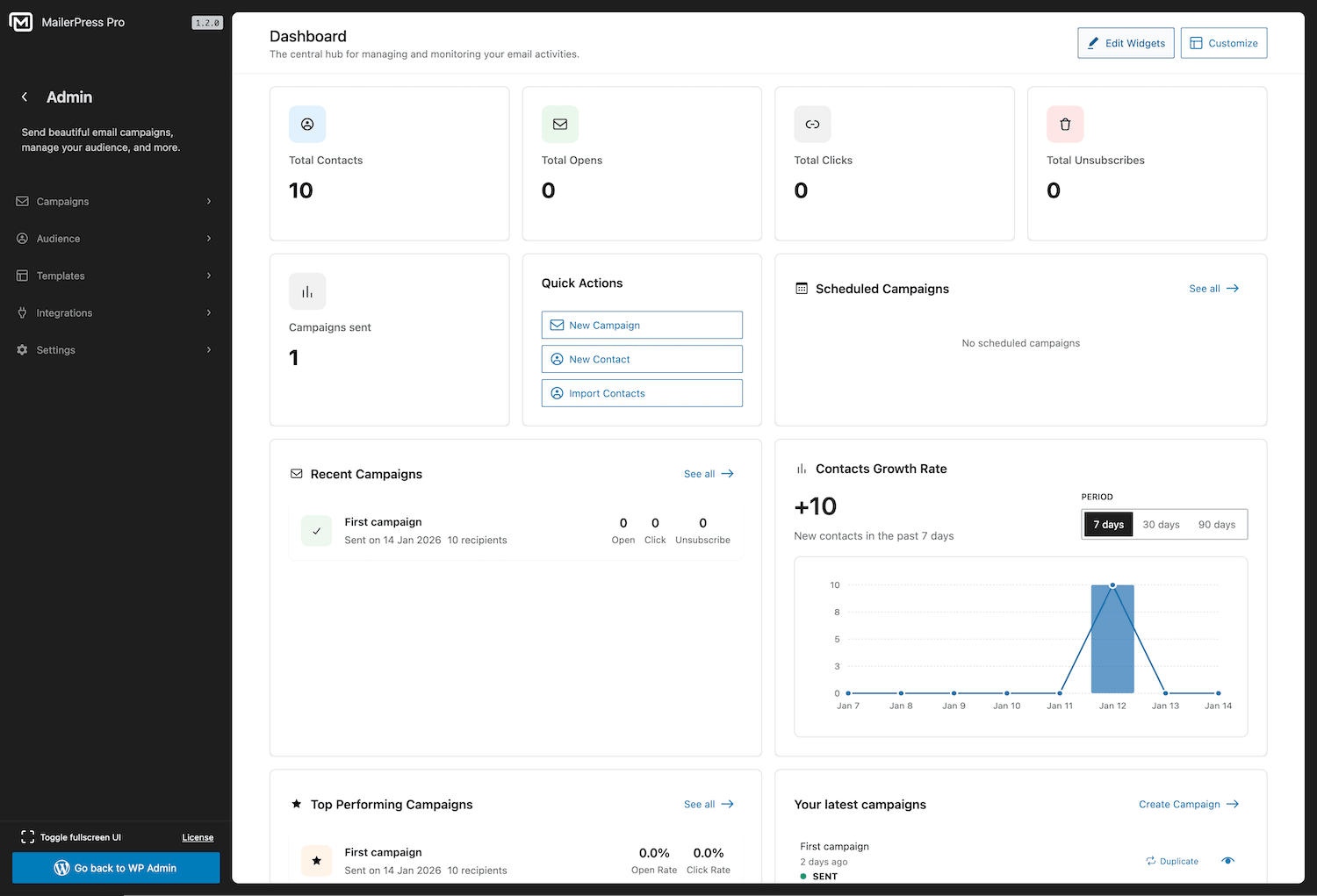
MailerPress dashboard — overview of your email marketing performance 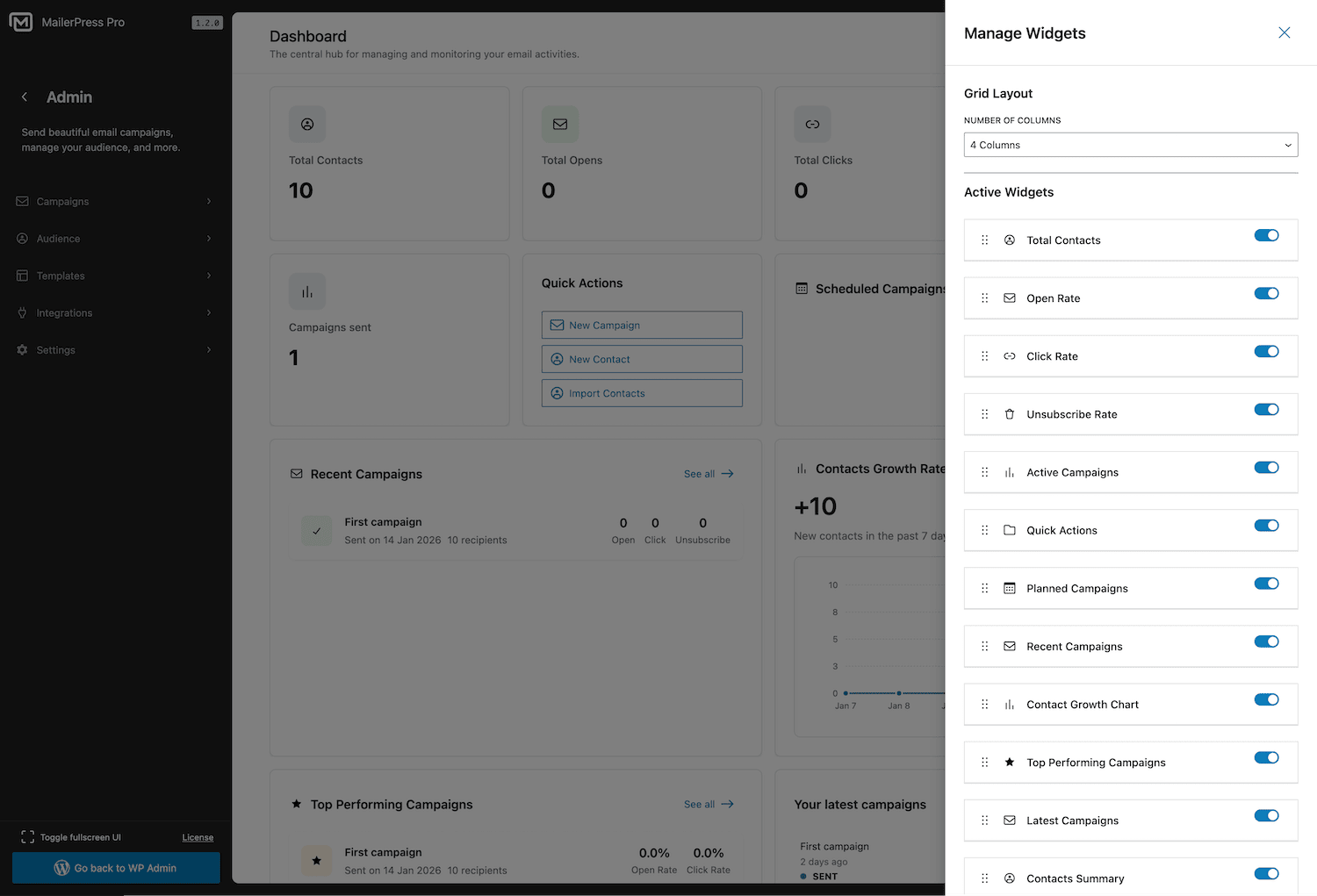
Customizable dashboard with drag-and-drop widgets 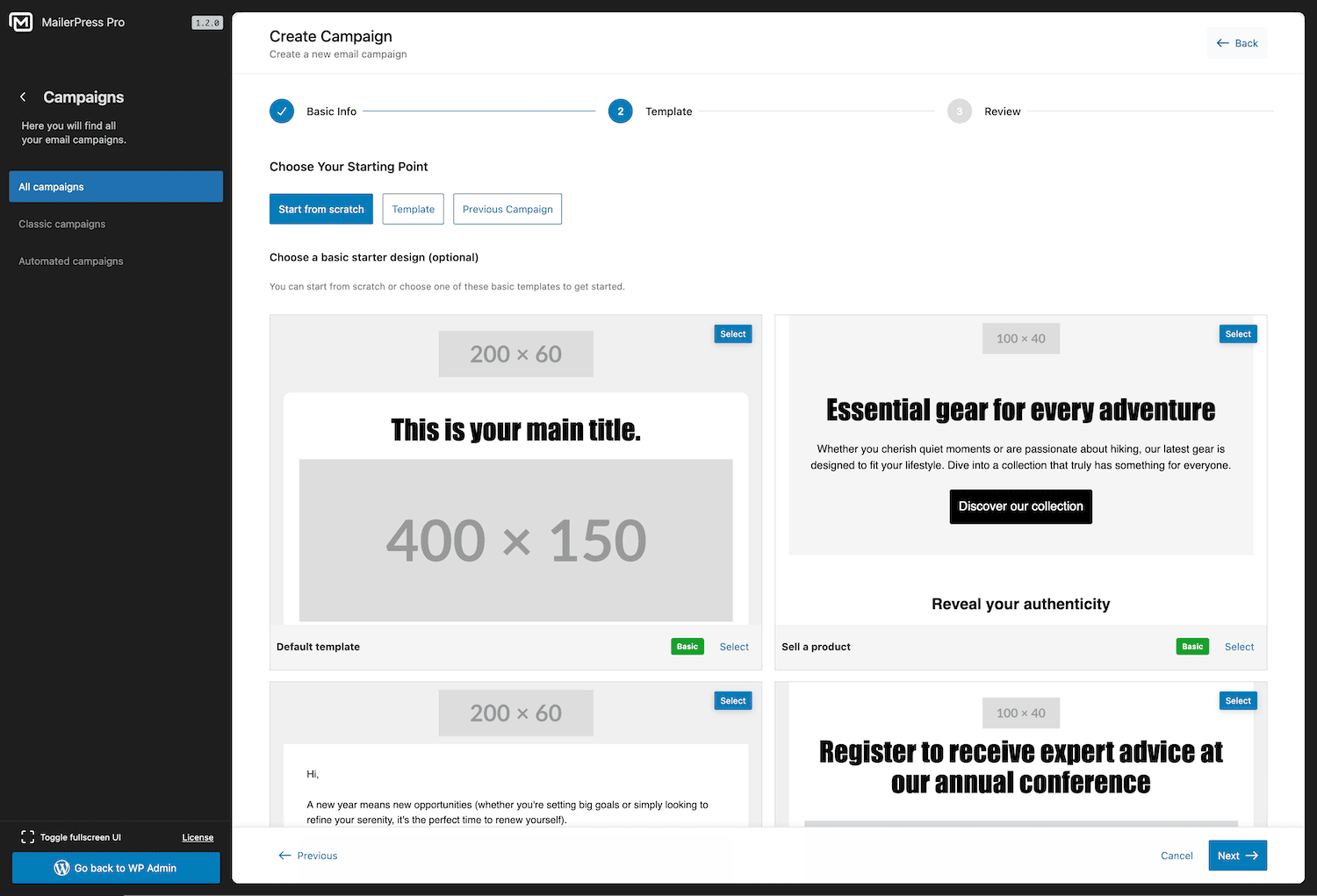
Campaign creation wizard — set up a new email campaign in seconds 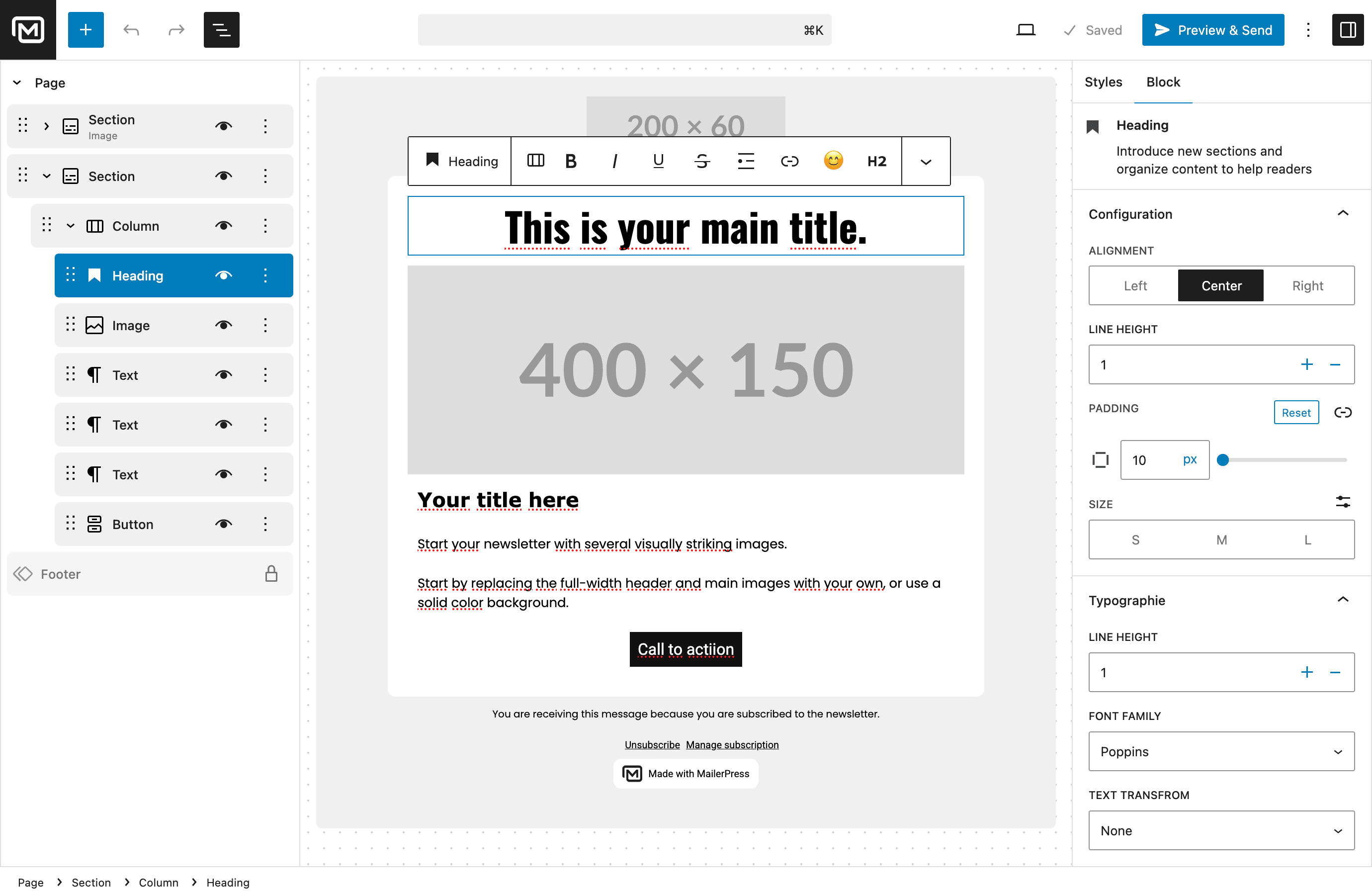
Drag-and-drop email editor inspired by the WordPress Block Editor 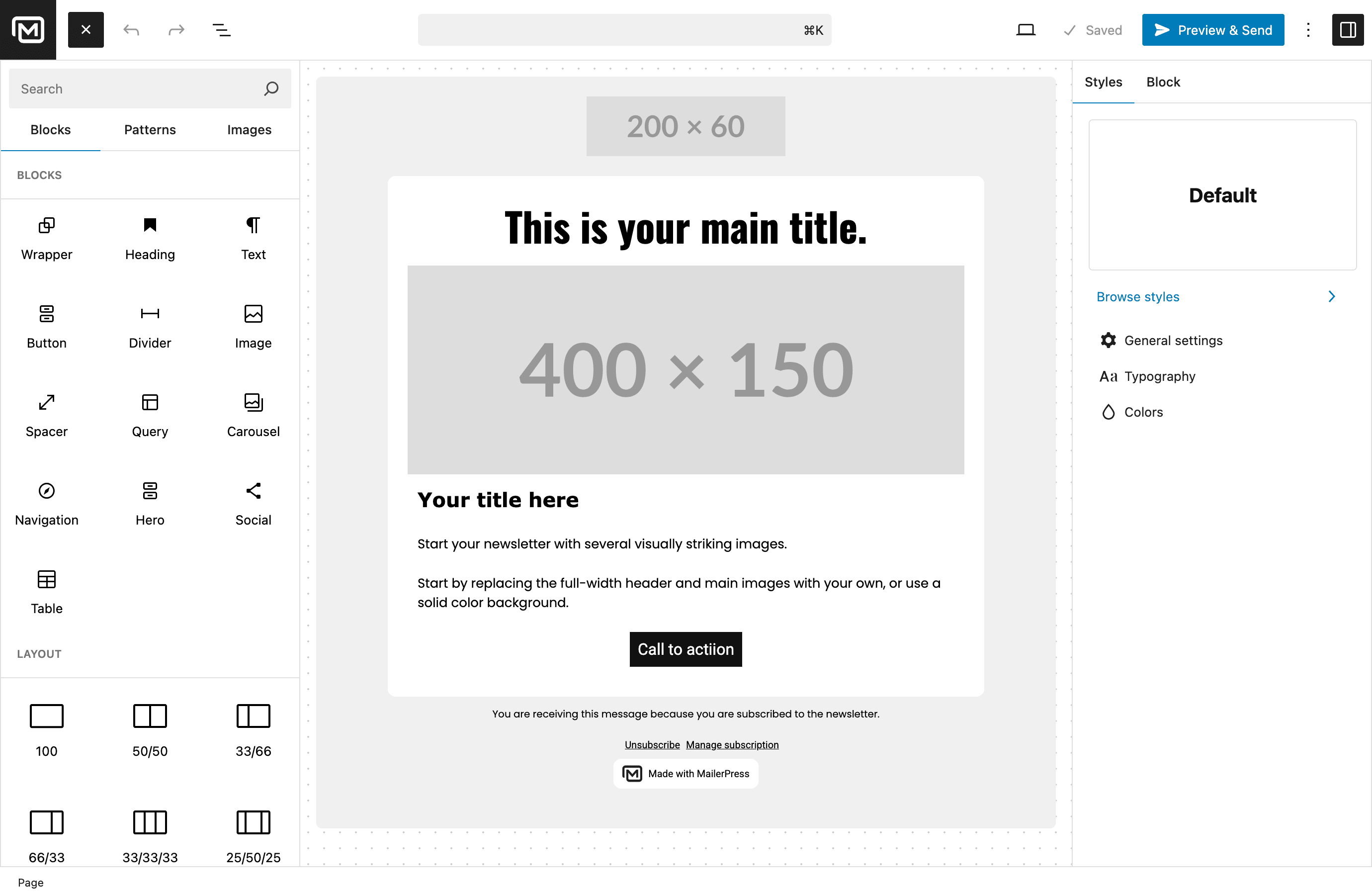
Content blocks library — build emails with pre-built components 
Setup wizard — get started with MailerPress quickly 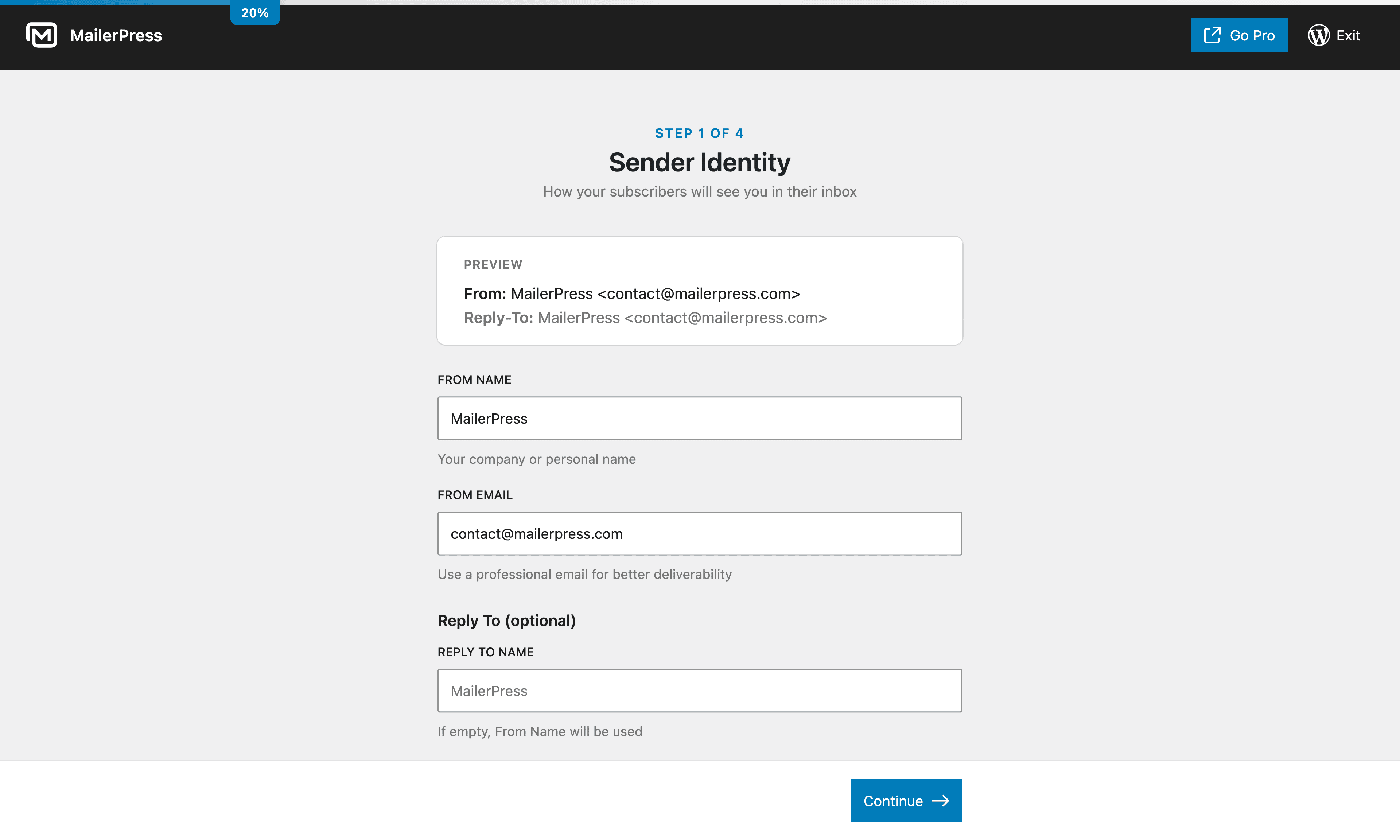
Setup wizard — configure your email settings 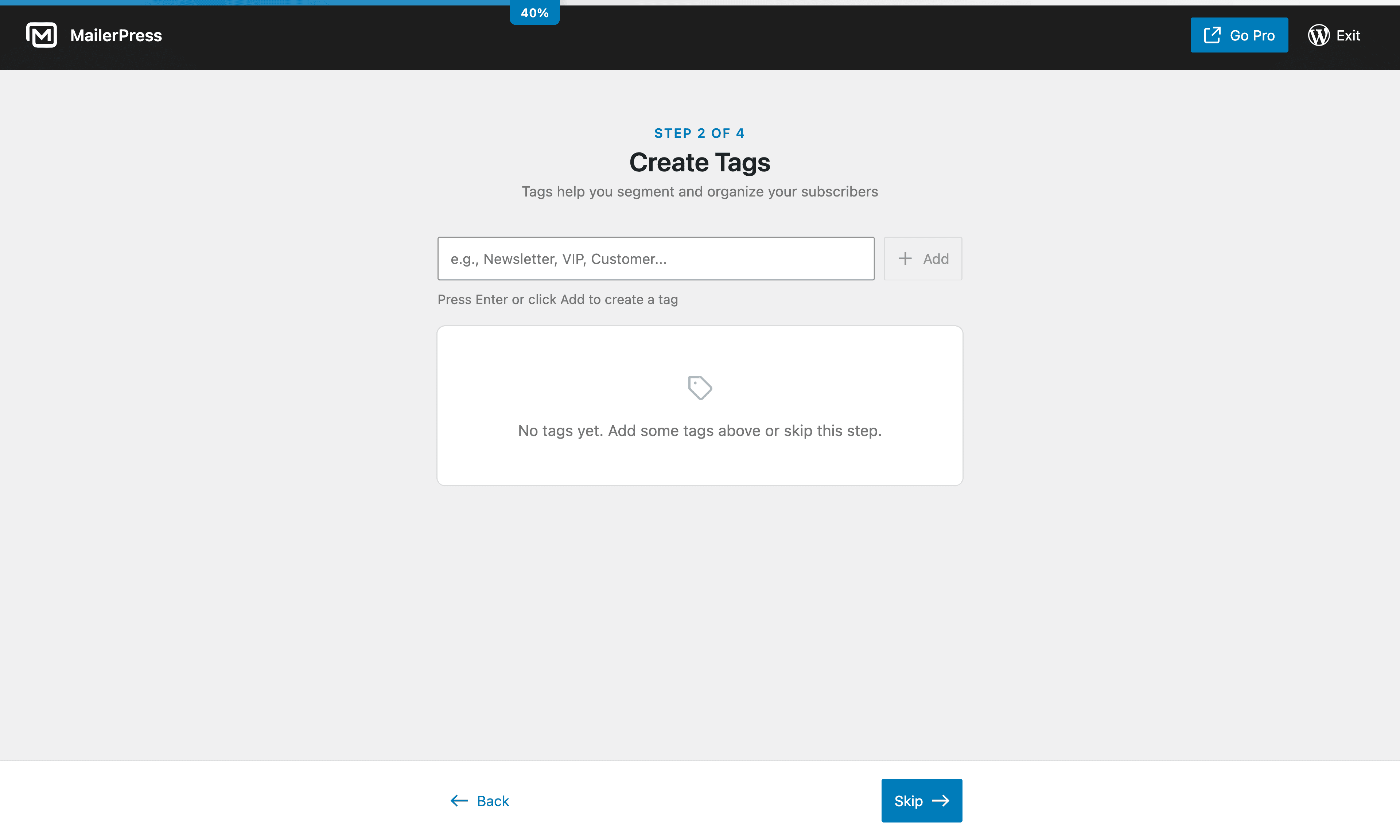
Setup wizard — import your subscribers 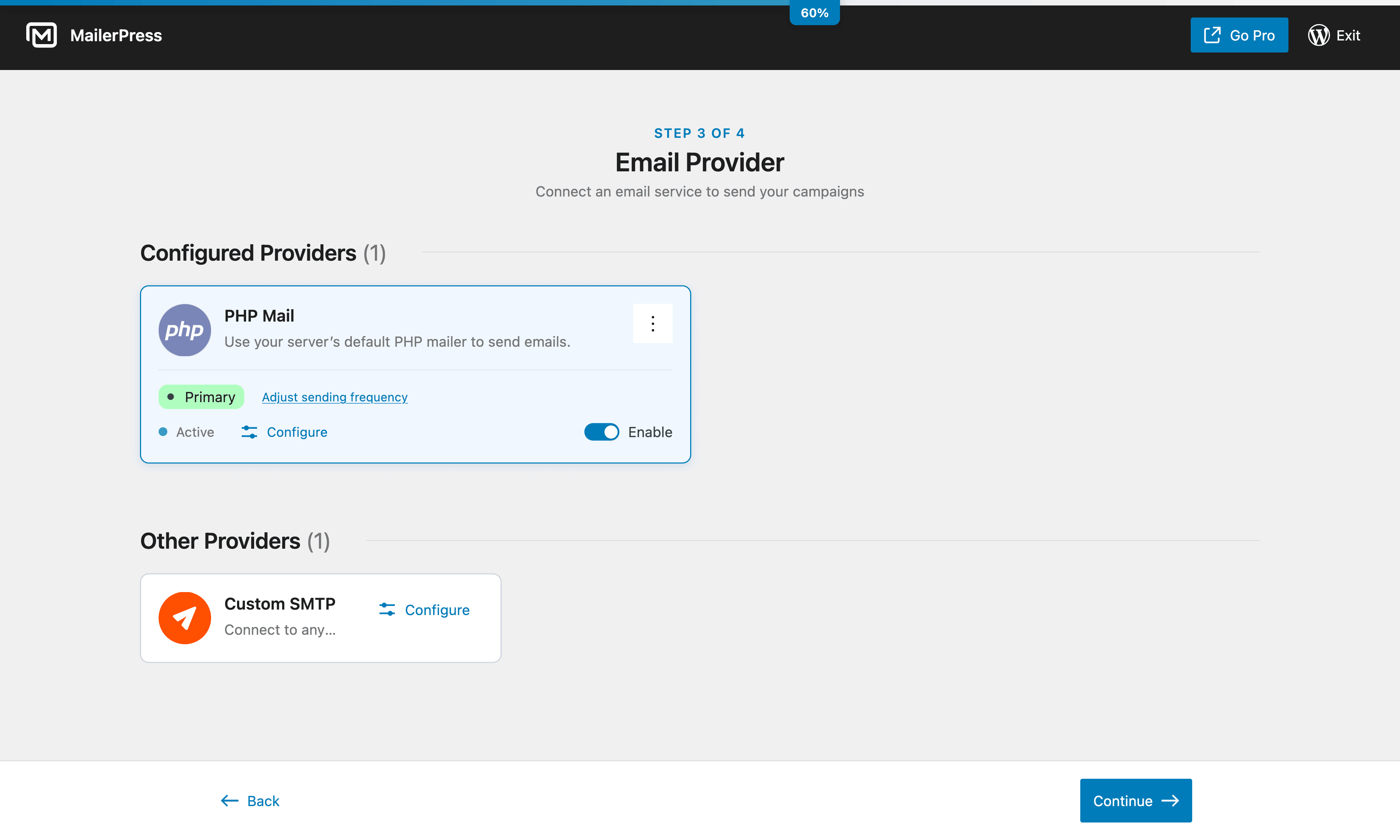
Setup wizard — choose your sending method 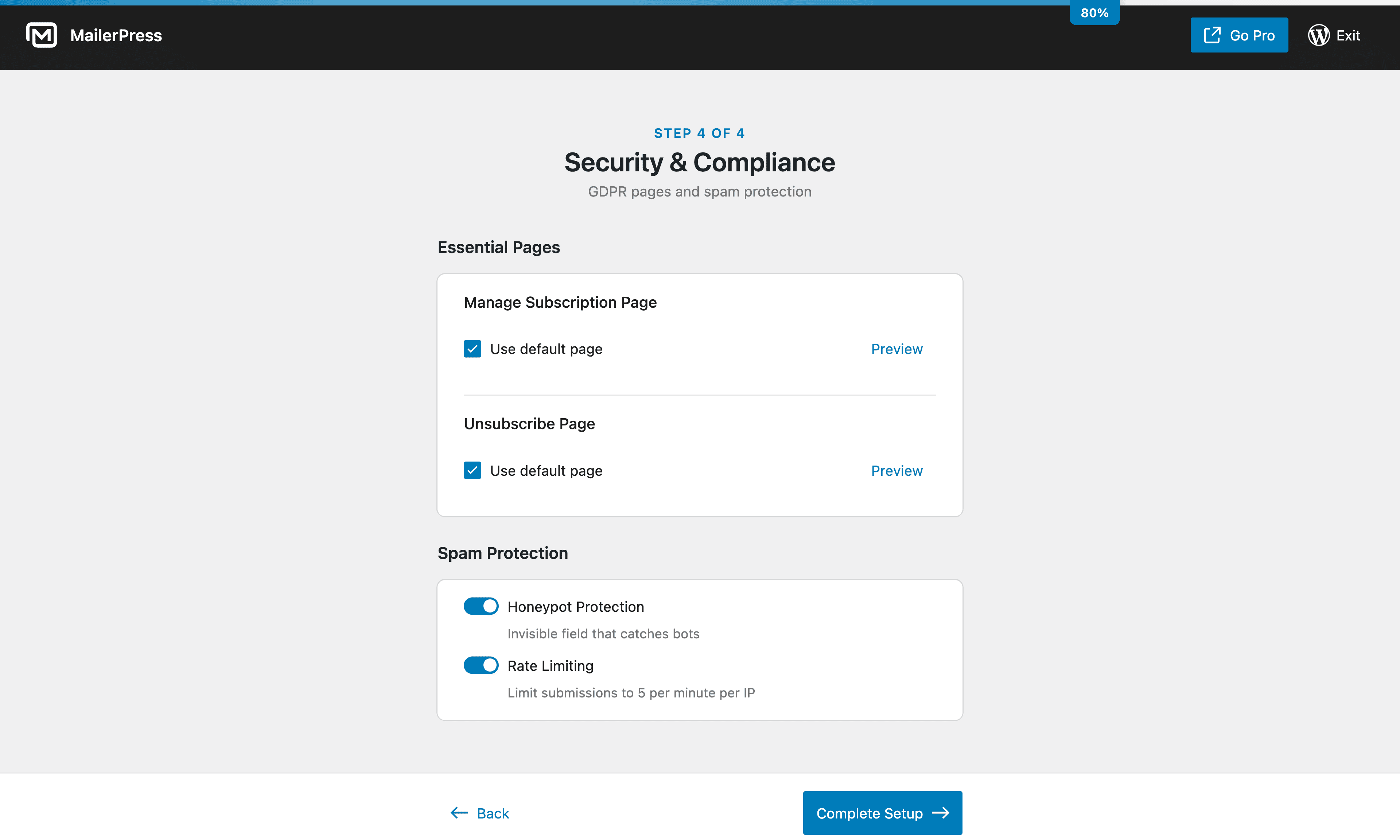
Setup wizard — customize your opt-in forms 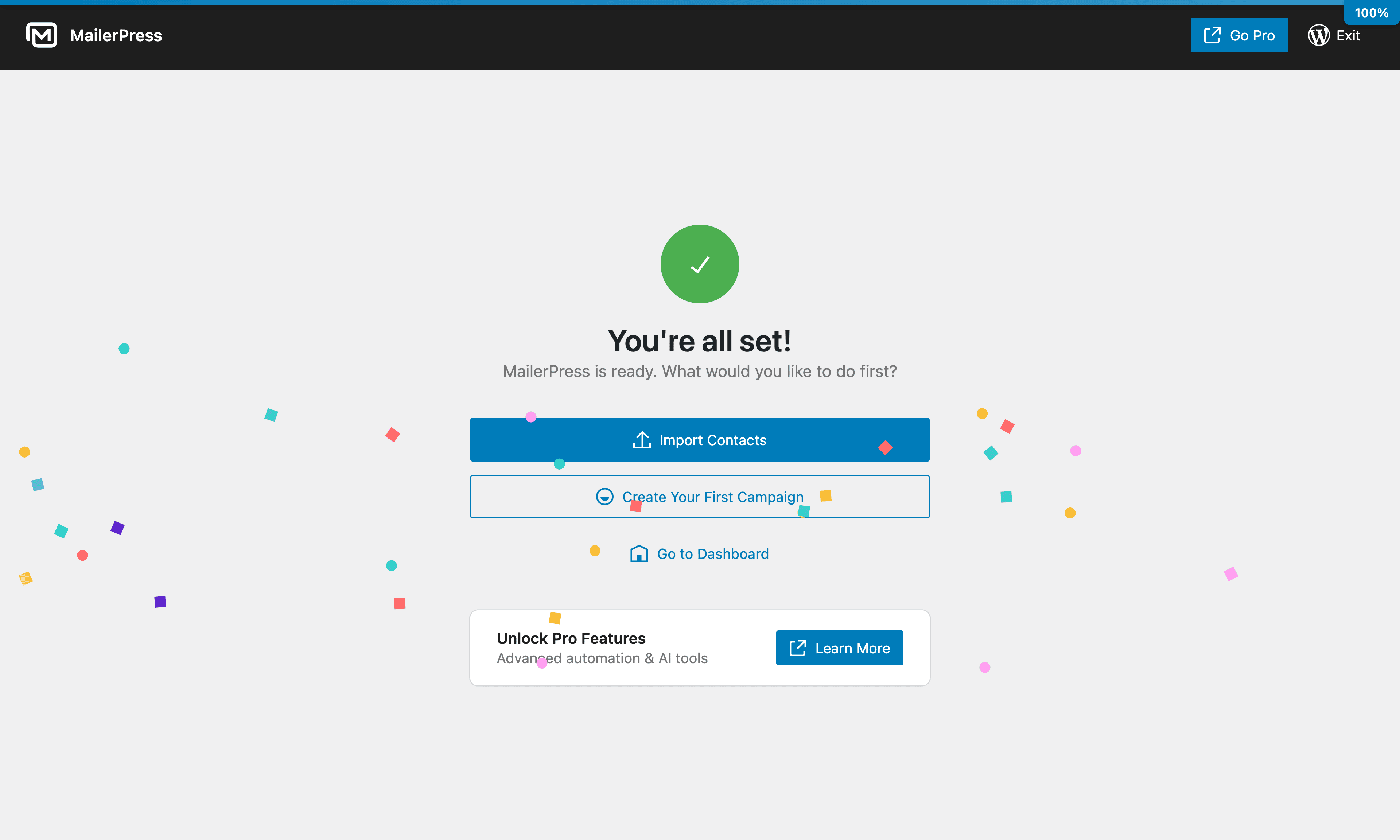
Setup wizard — launch your first campaign 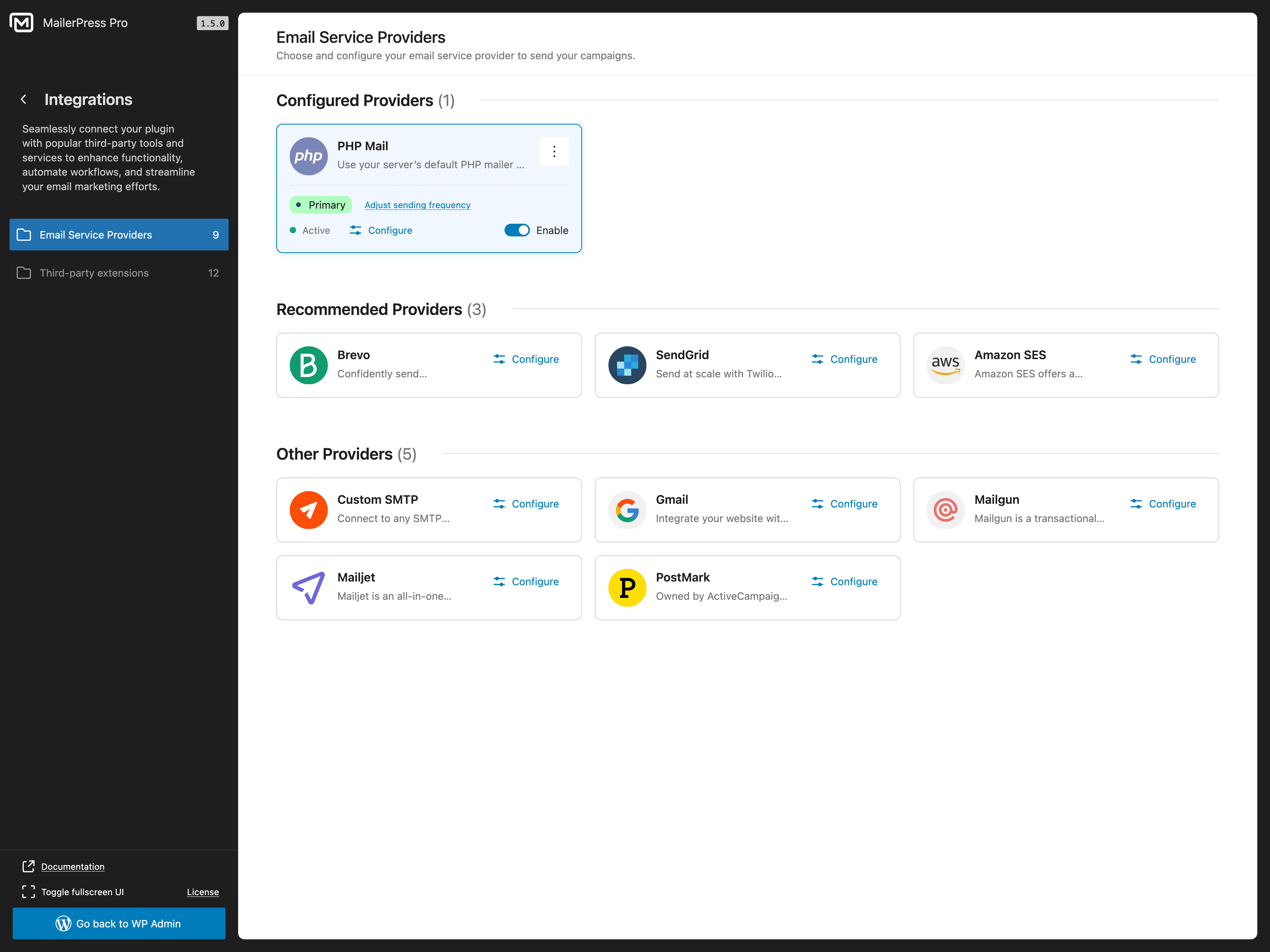
Email Service Provider integrations 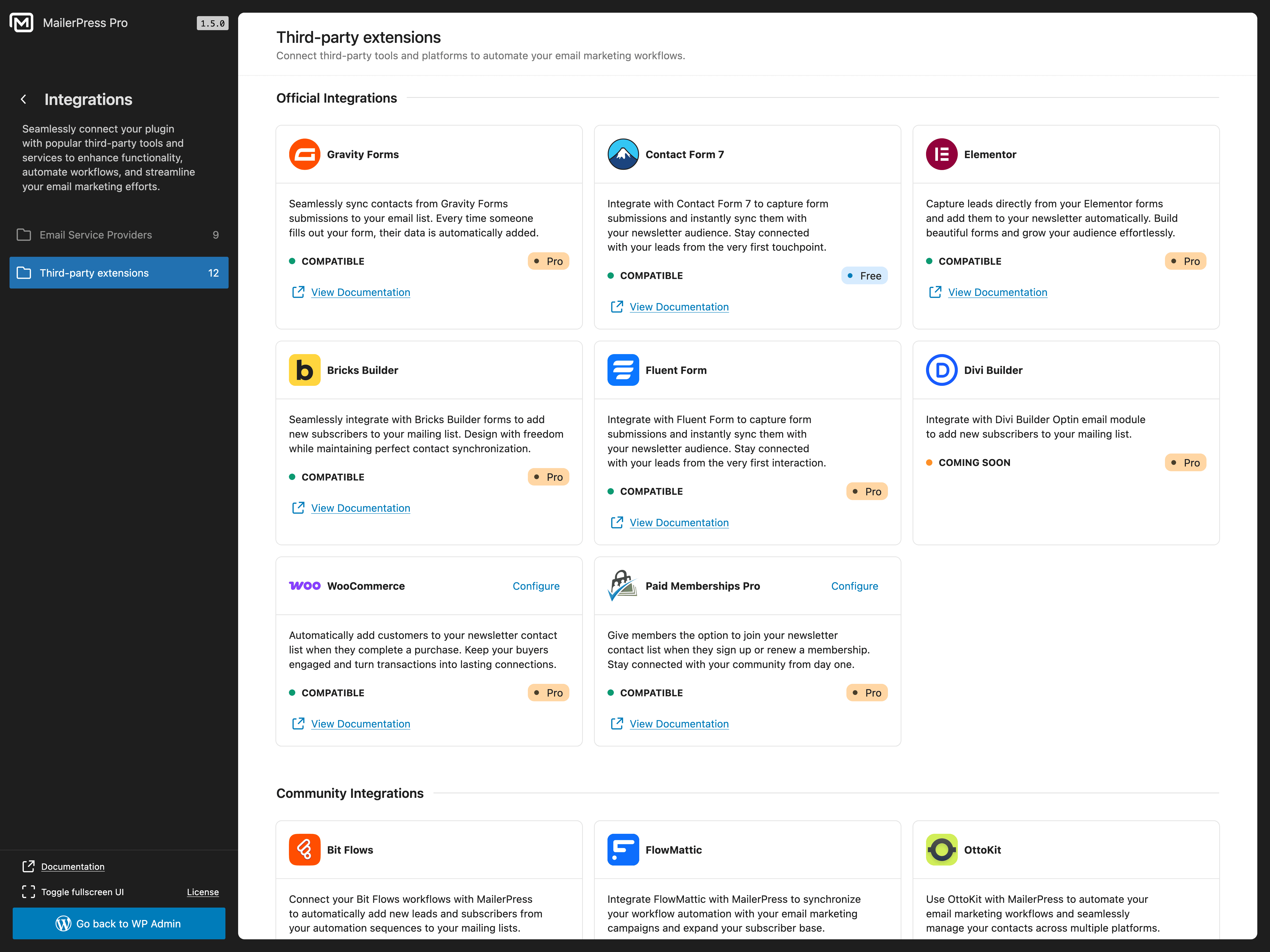
Third-party plugin integrations 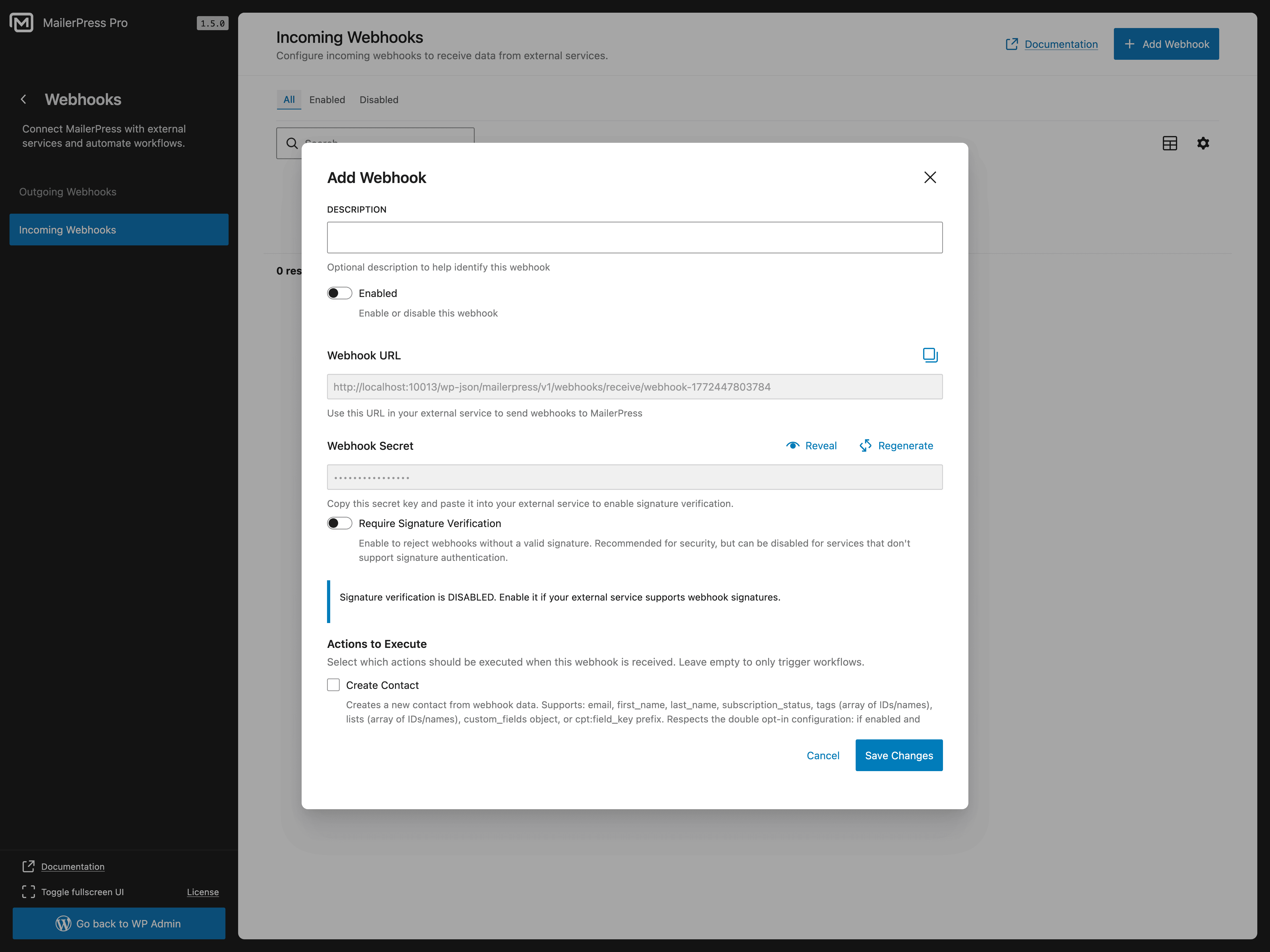
Incoming webhooks configuration 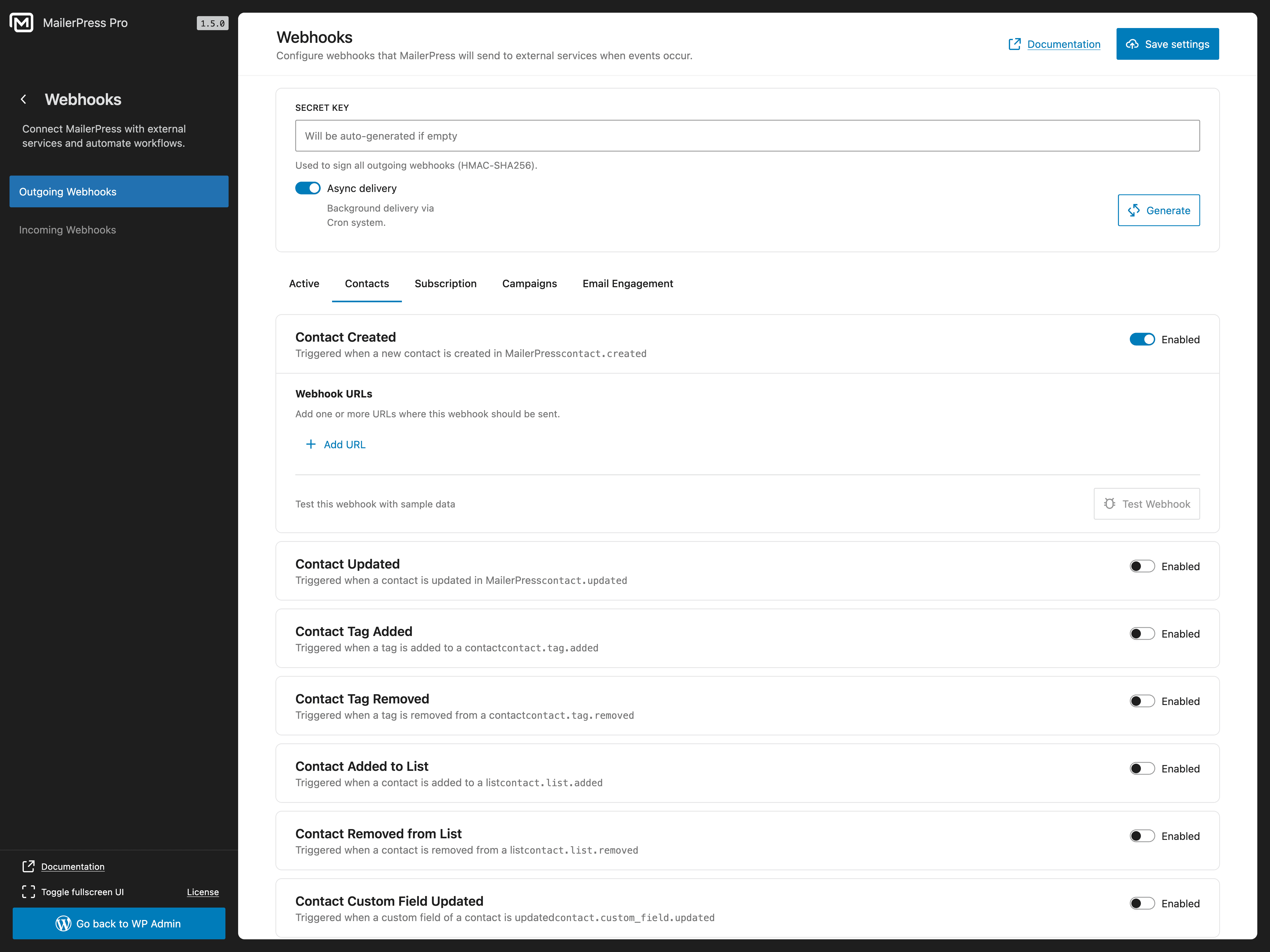
Outgoing webhooks configuration
Blocks
This plugin provides 4 blocks.
- Subscription Form
- Form Input
- Campaign Archive Display a list of sent email campaigns
- Form submit
Installation
- Upload the plugin files to the
/wp-content/plugins/mailerpressdirectory, or install the plugin through the WordPress plugins screen directly. - Activate the plugin through the ‘Plugins’ screen in WordPress.
- Navigate to the MailerPress screen in your WordPress admin to get started.
FAQ
-
Is MailerPress really free?
-
Yes! MailerPress is completely free with unlimited subscribers, lists, tags, and email campaigns. There are no hidden limits. A paid plan is available for premium integrations, AI features, and advanced automation.
-
Go to MailerPress in your WordPress admin, click “Create Campaign”, choose a template or start from scratch, and use the drag-and-drop editor to build your newsletter. Add your subscriber list, and send or schedule it.
-
Can I import my subscribers from another email marketing plugin?
-
Yes. MailerPress supports CSV import, so you can export subscribers from any email marketing tool (Mailchimp, MailPoet, Brevo, ConvertKit, ActiveCampaign, etc.) and import them into MailerPress in seconds.
-
Does MailerPress work with WooCommerce?
-
Yes. With a paid plan, you can customize WooCommerce transactional emails (order confirmation, shipping notification, etc.) using the drag-and-drop editor, send promotional campaigns to customers, and include product content in your newsletters.
-
How do I add a subscriber opt-in form to my website?
-
MailerPress provides a shortcode and a Gutenberg block for opt-in forms. The shortcode works with any theme and page builder (Elementor, Bricks, Divi, etc.). You can also embed opt-in forms on external websites (paid plan required).
-
What email sending services does MailerPress support?
-
The free version supports PHP Mail and custom SMTP. A paid plan adds integrations with SendGrid, Brevo (Sendinblue), Mailjet, Amazon SES, Mailgun, and Postmark for professional email delivery.
-
Can I automate emails with MailerPress?
-
Yes. You can schedule email campaigns for future delivery and set up automated post notification emails. Advanced automation workflows with triggers and conditions are available with a paid plan.
-
Is MailerPress GDPR compliant?
-
Yes. MailerPress is self-hosted, collects no external data, and includes built-in unsubscribe links, double opt-in, and subscriber data management tools for full GDPR compliance.
-
Can I send automated post notification emails?
-
Yes. MailerPress can automatically send email notifications to your subscribers when you publish new blog posts or pages.
-
Does MailerPress support email tracking?
-
Yes. MailerPress includes click and open tracking for your email campaigns. You can choose to track normally, track anonymously, or disable tracking entirely.
-
How do I get support?
-
Free users: WordPress.org support forum.
Paid plan users: Priority support via the MailerPress customer portal.
Reviews


Contributors & Developers
“MailerPress – Email Marketing, Newsletter, Email Automation & WooCommerce Emails” is open source software. The following people have contributed to this plugin.
Contributors


“MailerPress – Email Marketing, Newsletter, Email Automation & WooCommerce Emails” has been translated into 7 locales. Thank you to the translators for their contributions.
Interested in development?
Browse the code, check out the SVN repository, or subscribe to the development log by RSS.
Changelog
2.0 Read the blog post update
- NEW: Advanced Automation System [Beta] – Create sophisticated email workflows with a visual automation builder, including trigger-based campaigns, conditional logic, and multi-step workflows to automate your entire email marketing funnel.
- NEW: Multiple Email Editors – Choose from three powerful editors when creating campaigns: Visual Editor (drag-and-drop builder with blocks and templates) and Raw HTML Editor (paste or write HTML code directly for pre-built templates).
- NEW: WordPress Email Customization – Customize all system emails with your branded email templates using the MailerPress editor, including new user welcome emails, password resets, comment notifications, admin alerts, and automatic update notifications. Replace default WordPress emails with professional designs.
- NEW: WooCommerce Email Customization – Fully customize WooCommerce transactional emails, including order confirmations, customer invoices, shipment notifications, low stock alerts, and more using the MailerPress email editor with dynamic merge tags for product details and order information.
- NEW: Three New Email Service Providers – Added support for Resend, EmailIt, and SMTP2GO, expanding your sending options with reliable and scalable email delivery services. Each provider includes bounce tracking and webhook support.
- NEW: WordPress Default ESP – Use the native WordPress wp_mail() function for email sending, fully compatible with all major third-party SMTP plugins (WP Mail SMTP, Brevo, Mailgun, etc.) for seamless integration with your existing WordPress email infrastructure.
- NEW: Divi Builder Integration – Native integration with Divi Builder’s opt-in email module, allowing seamless subscriber capture directly from Divi email modules with automatic list and tag assignment.
- NEW: Notification Center – Intelligent notification system that automatically checks site configuration and displays contextual alerts for issues (WP-Cron disabled, missing setup steps) and product updates. Notifications can be dismissed permanently or temporarily.
- NEW: WordPress users can now be synchronized directly with MailerPress.
- NEW: You can now translate some MailerPress settings using the new wpml-config file.
- IMPROVEMENT: The Query Block now supports post meta in addition to ACF.
- IMPROVEMENT: White Label now allows you to hide premium templates if needed.
- IMPROVEMENT: Improved Review & Send modal UX/UI.
- IMPROVEMENT: Template Creation – Create and save email templates directly without needing to create a campaign first. Templates can now be managed independently for reuse across multiple campaigns.
- IMPROVEMENT: API Key Management – Enhanced API key management to provide access to the MailerPress public API with granular permission controls, allowing you to restrict access to specific resources (contacts, campaigns, lists, etc.) and configure rate limits and IP restrictions per key.
- SECURITY: Fixed REST API authentication to enforce API key scopes on all protected endpoints, preventing unauthorized access to restricted operations.